Residential networking & integrated systems

A home that’s
quietly connected.

Reliable Wi-Fi. Thoughtful wiring. Omada networks and cameras. We bring the details together, so your home simply works better.

Designed with careInstalled thoughtfullySupported by people
Considered connectionsThe connected home
A connected waterfront propertyOriginal illustrative waterfront property with a four-room house, detached garage, timber patio and sandy beach. Equipment markers are aligned to the pictured spaces. Network and audio overlays are planning concepts, not measured coverage.

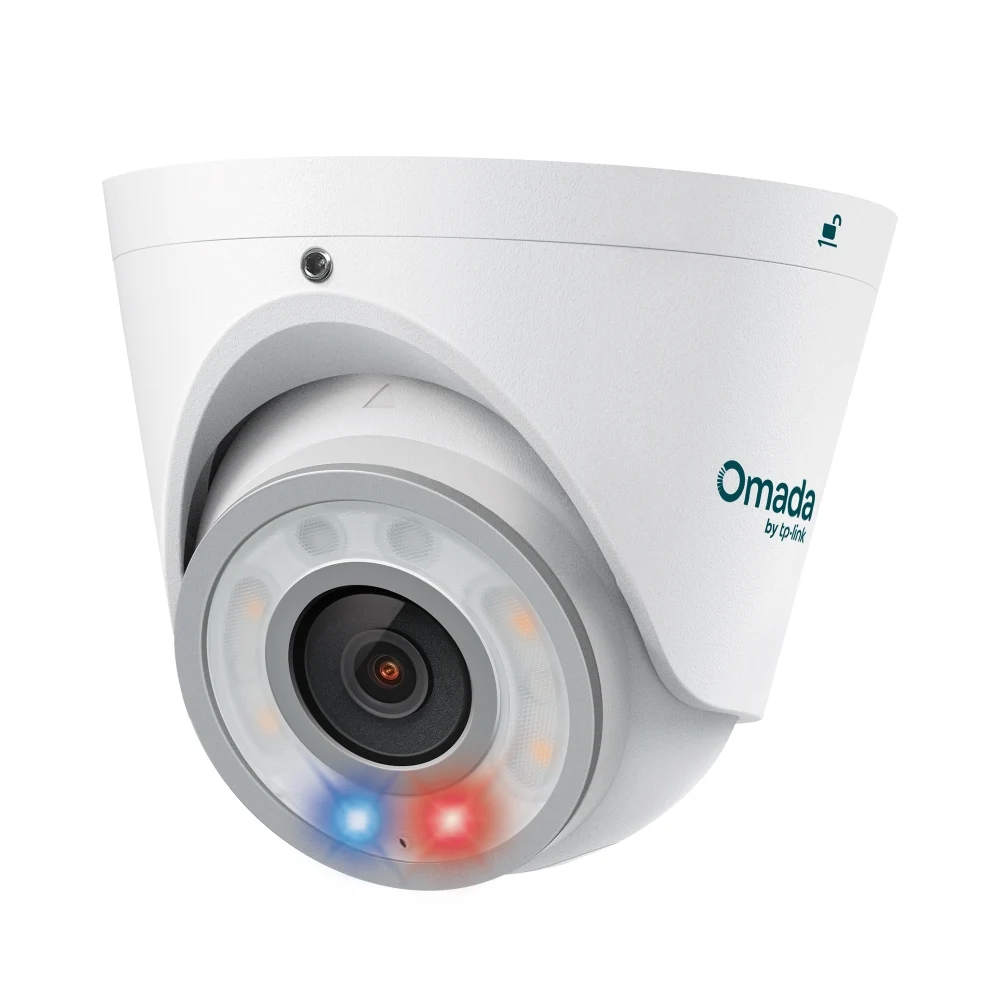
Omada 8MP Turret · 88° horizontal view ↗

Hover or tap a device for details and installed examples. Open full-size map ↗

Coverage planned around the rooms you actually use.

How this map is planned

Media-room and bedroom coverage are included. A local AP serves the detached garage over a planned fiber data backhaul and local PoE switch. Dedicated outdoor access points face the patio and beach; the dry indoor headend supplies the home network. AP count and positions are examples.

The outdoor shading illustrates Omada 7 Outdoor directional antenna patterns: 90° at 2.4 GHz and 45° at 5 GHz. These are schematic antenna directions, not measured Wi-Fi coverage. Antenna specification ↗ · Antenna modes ↗ · Omada Design Hub ↗

Illustrative layout. Wi-Fi shading marks areas to plan for, not measured coverage. Audio views show speaker placement. Explore the audio maps ↗

Start with what matters to you

What would make
home work better?

You don’t need to know the equipment.
Start with what you’d like to improve.

Better Wi-Fi

Coverage that reaches your everyday.

From home-office calls to streaming in the living room, we look at the layout, cabling and access-point placement behind a dependable connection.

  • Room-by-room coverage planning
  • Indoor, outdoor and outbuilding connections
  • Setup, testing and a clear handover
Explore home networking
Omada 7 Pro X EAP773 access point
Equipment selected to suit the project.

TV installation & media

A better place
to watch.

We install TVs and bring the mounting, cable routes, streaming devices and sound together. The result starts with a sensible screen position and a plan for the equipment behind it.

Explore TV & media installation ↗

Mount & position

Mount selection and placement suited to the TV, wall and seating.

Connect & conceal

Practical routes for HDMI, Ethernet and sound, with power needs coordinated appropriately.

Set up & explain

Connected sources, soundbar integration and everyday controls.

The difference is in the details

Good technology
should feel
effortless.

A fast access point is only part of the picture. The wiring, placement, configuration and handover all shape how a system works in daily life.

Discuss your project

Built around your home.

We start with the layout, the way you use each space, and what’s getting in the way.

Considered behind the scenes.

Thoughtful cable routes, organized equipment and useful settings make the installation easier to live with.

Clear when we hand it over.

Understand the everyday controls, account access and how to get help as your needs change.

New construction & renovations

The best time to plan?
Before the walls close.

Construction prewire is the best time to plan device placement. With walls and ceilings open, we can agree the locations and run the cables that will support the finished home.

Plan Wi-Fi access points, Ethernet wall jacks, speakers, cameras, TVs and an accessible equipment headend together. Good locations start with the floor plan, furniture and the way you will use each space.

Approve the wiring plan first, then choose your devices when the home is ready. Install all at once or in stages; unused prewire stays concealed for later.

Explore your home plan ↗


Learn more: what we plan before drywall

Agree access-point and camera positions, TV mounting support, speaker locations and the equipment area before the walls close. Coordinate mounting, low-voltage routes and power needs with the builder and electrician.

Run and label suitable cables while framing is accessible. Allow sensible spare pathways, document the runs and test connections before the finishes make access harder. Final Wi-Fi and audio setup is checked after the home is built.

Learn more: prewire for the outdoors

Include the detached garage, patio and beach listening area in the early plan. Agree underground pathways and building entries, outdoor AP mounts, speaker locations and where local power will be needed.

Fiber, PoE cabling and passive speaker cable serve different purposes. Select the route and rated materials for the environment rather than leaving them as an afterthought.

A clear way forward

From the first conversation
to the final connection.

And support beyond it
LISTEN

Tell us what’s missing.

A dead spot, a new home office, better camera coverage. We start with your priorities.

PLAN

Make a considered plan.

We look at the space and agree the scope before selecting the equipment and cable routes.

CONNECT

Install. Test. Explain.

We bring the system together, test everyday use and walk you through the essentials.

A little clarity

Good questions.
Straightforward answers.

Wondering where to start?
Here are a few things we can help with.

Can you improve the network I already have?

Yes. We start with your existing equipment, layout and cabling. Useful components can stay; the plan focuses on the parts that limit the result.

Do I need a full system to get started?

No. The starting point may be one Wi-Fi problem, an Ethernet connection for an office, or a camera at an entrance. We agree a scope around your priorities.

Can you help with Omada networks and cameras?

Yes. Our new network and camera plans use Omada equipment. We plan equipment, cabling, configuration and the handover together.

Can you also help with sound and home theater?

Yes. We also plan and install whole-home audio, home theater and outdoor listening systems, including the networking and wiring behind them.

When is the best time to start a new-home technology project?

During design and construction prewire, before the walls and ceilings close. That gives us time to plan device placement, cable routes, mounting support and the indoor equipment location with your builder.

Can you install the TV and plan its wired connections?

Yes. We plan the mount, screen position, cable concealment, Ethernet connection and connected audio together. Explore the TV & Media section for the indoor layout and installation details.

A good place to start

What would you like
your home to do better?

A few details are enough to begin. We’ll help you think through the next step.

Let’s talk about your project